
DMX software for beginners: how to choose the right one
You have a few LED PARs, maybe two moving heads, and a DMX interface. Now you need the software. Here are the criteria that really matter when you are starting out, a method to test a program in one evening, and the mistakes we see most often on gigs.
What DMX software does
DMX software sends a value from 0 to 255 to each channel of your fixtures: intensity, red, green, blue, moving head position, gobo… It goes out through a DMX-USB interface, or over the network in Art-Net or sACN, and the signal runs down the cables to the fixtures.
A few orders of magnitude. One DMX line (a “universe”) carries 512 channels. An LED PAR uses 3 to 8 depending on its mode. A spot moving head often uses 10 to 20. A typical party-band rig, 12 PARs and 4 moving heads, fits easily into a single universe, at around 150 channels. The software's job is to turn those hundreds of values into buttons and faders you can play live.
Free or paid DMX software?
Free DMX software exists, and some of it is very complete. The real question is not the purchase price but the time spent before your first successful show. A free tool that takes three weekends of programming is expensive if you are playing next Saturday.
Also check what “free” really means: a channel-limited version, a mandatory brand of interface, key features you pay for, a subscription later on. Then again, paid software is not automatically better. It simply has to save you time, and let you try it on your real fixtures before you pay.
The 8 criteria for choosing as a beginner
- The interface: readable screens, big buttons, a console you can understand in the dark. At a concert, there is no time to dig through menus.
- Getting started: time how long it takes from installation to the first colour on a PAR. Some programs open on a blank page: you have to build every scene, every chase, every button. Count on several evenings.
- Fixture profiles: your models must be in the library. Otherwise you have to describe every channel by hand. Check that a fixture editor exists, and whether the software team can create the profile for you.
- DMX outputs: the software must accept common DMX-USB interfaces (Enttec, DMXking and compatibles), plus Art-Net or sACN if you ever move to a network. Be wary of software that only accepts its own brand of interface.
- The real price: lifetime licence or subscription, updates included or not, interface to buy or not. Do the maths over three years.
- The free trial: it must drive your real fixtures, not just an on-screen demo, and last long enough to play a real gig with it.
- Language: software, a manual and tutorials in your language mean fewer mistakes on the night things go wrong.
- Support: who do you write to if a fixture is missing or nothing lights up? A contact page, video tutorials and a troubleshooting guide are worth more than a long feature list.
Three real-world cases
The party band: 8 LED PARs, 2 moving heads, no technician. The lights are run from the stage or by a musician between songs. You need ready-made looks, a tap tempo, and ideally effects that follow the music on their own. A phone remote helps a lot.
The wedding DJ: 4 PARs, an LED bar, 2 moving heads, a laptop next to the decks. Priorities: effects locked to the BPM, a button to stop all effects before the speeches, a clean fade to black for the couple's entrance.
The village hall or the association: fixed PARs, different volunteers every time. Here, simplicity comes first: a console organised by area (back, front), named colours, a printed DMX patch sheet at the control desk.
Test DMX software in one evening
- List your fixtures with their brand, model and DMX mode (the number of channels, shown on the fixture).
- Look up each model in the software's library. If one is missing, note how long it takes to create its profile.
- Plug in the DMX interface before opening the software, choose the output, then address your fixtures (see our DMX addressing guide).
- Time it: how many minutes before a PAR lights up red, then the whole rig in one colour?
- Play a whole song: a colour change, an effect on the PARs, a moving head that moves, a blackout. If you are hunting for a button mid-song, that's a bad sign.
- Save, close, reopen. Unplug the interface and plug it back in: the light must come back without redoing everything.
Common mistakes
- Buying the interface before the software without checking they work together. See which DMX-USB interface to buy.
- Choosing the wrong mode: fixture set to 7 channels, profile set to 10 channels. Colours go all over the place.
- Programming everything the night before: prepare your first show at home, a week ahead, with the fixtures plugged in.
- Using microphone cables instead of real DMX cables, and forgetting the terminator on the last fixture. The signal drops out at the worst moment.
- Leaving moving heads unrestricted: without movement limits, a beam ends up in the audience's eyes or on the ceiling.
With LWA Light
LWA Light Controleur starts from your fixtures rather than a blank page. The Wizard asks what you have and where it is placed, in 7 steps with a live preview, then builds the console: dimmer faders, colour frames, PAR FX, moving head movements and Head Lighting, an XY pad to restrict movements, tap tempo, flash, fade and stop. You are playing within minutes, then you fine-tune whatever you like in the tools.
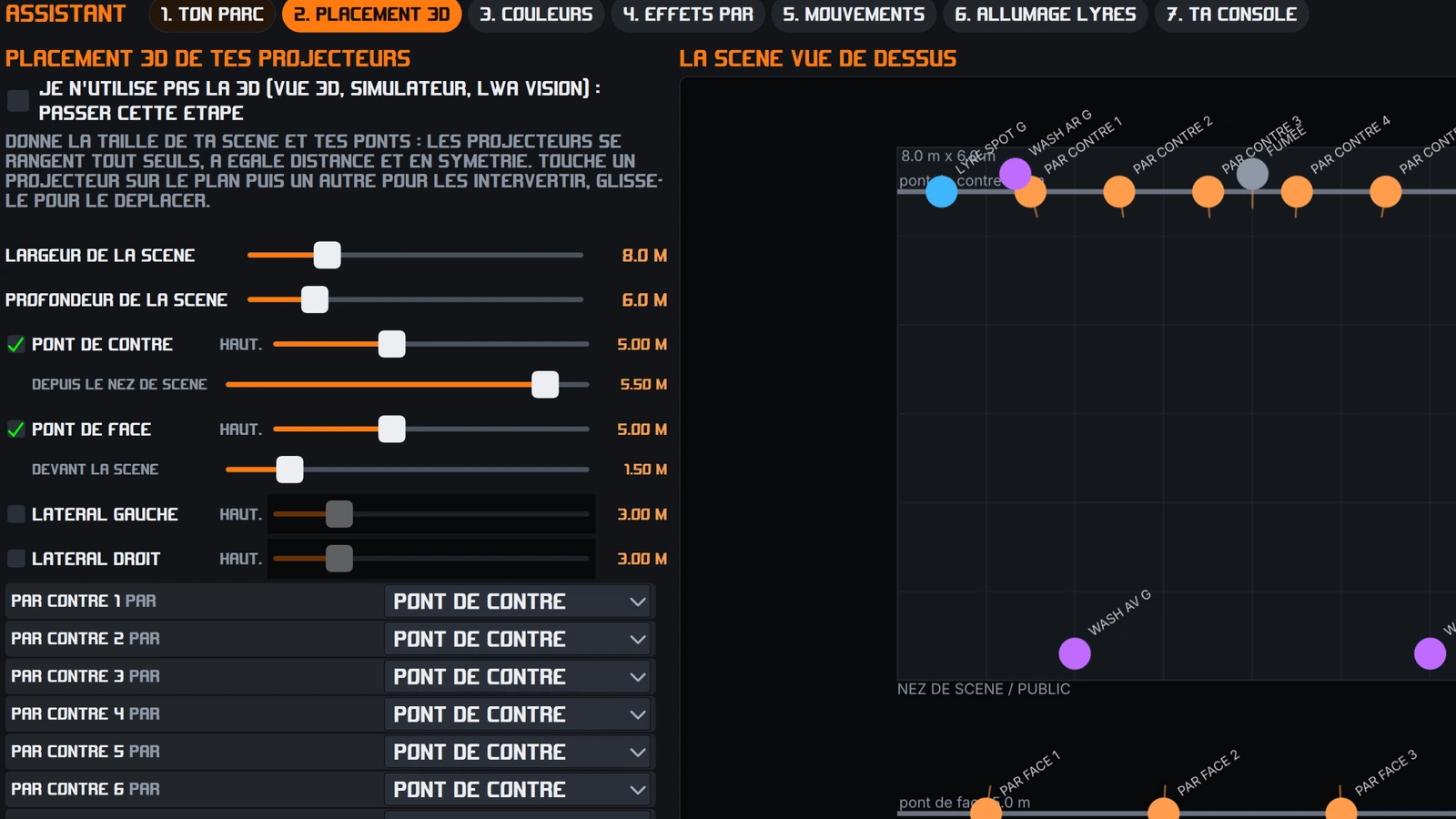
- Over 1,700 fixture profiles in the library, an editor to create your own, or we create it from the manual (compatible hardware).
- DMX-USB interfaces using the “USB Pro” protocol and FTDI chips, Art-Net and sACN.
- Audio Live so the lights follow the music, MIDI Clock, MTC and Pro DJ Link sync, and a free remote on your phone.
- Windows, Mac and Linux, fully offline. Software and manual in French, English, German, Spanish and Italian.
- LWA Light at 189 € incl. VAT (launch offer), lifetime licence, free updates for one year. Everything is included: the LWA Vision visualizer, mapping and the Soundtrack Show tool.
- 30-day free trial on your real fixtures. After 20 minutes of use, a short demo pause comes back every 10 minutes; after 30 days, the DMX output stops and your shows stay intact.
- Help: video tutorials, PDF manual, troubleshooting assistant and contact page.
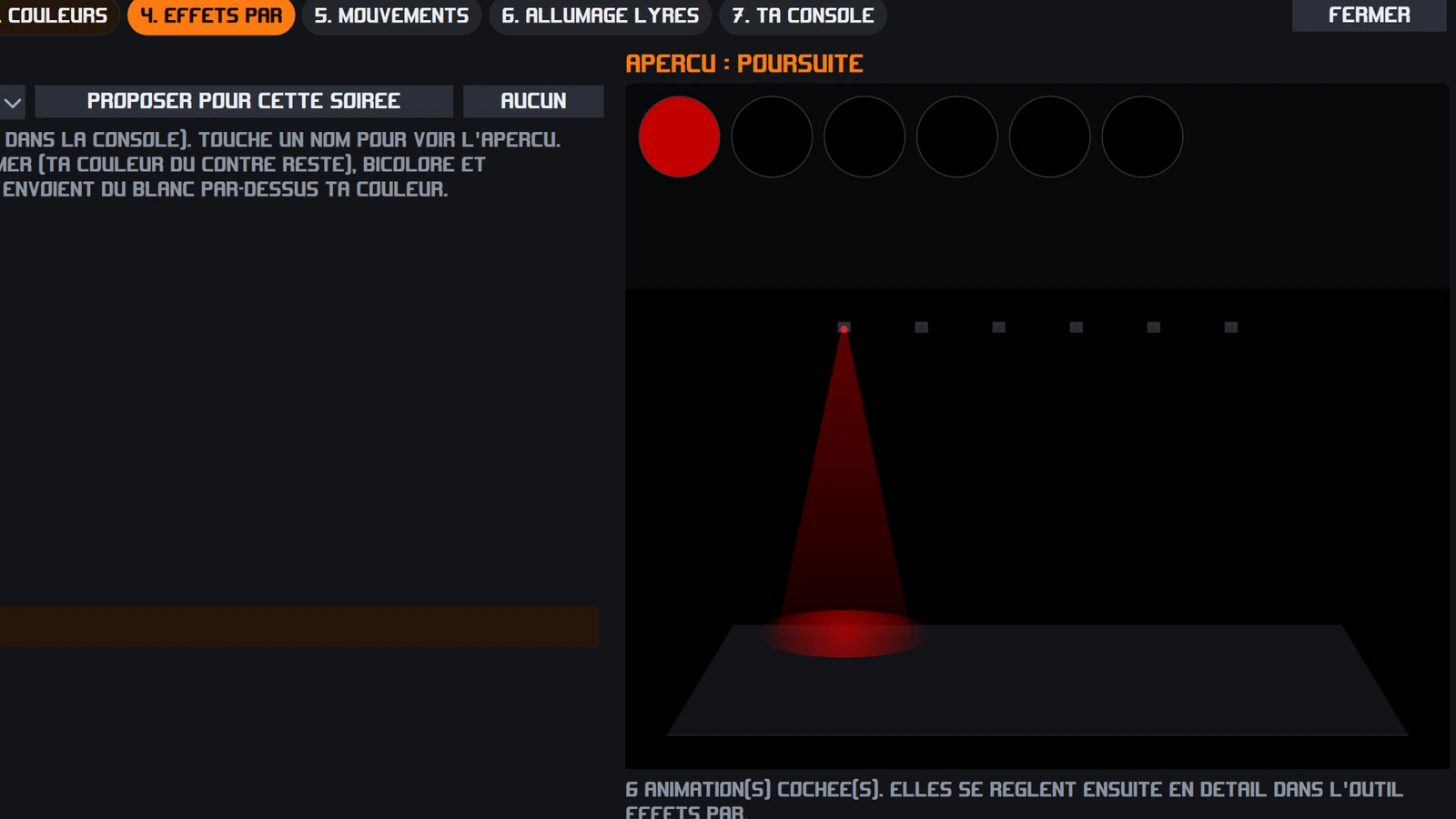
Want to go further? Under the tools, the full engine is still there: scenes, chases, sequences, which you can create or edit by hand.
Try LWA Light for free
30 days, every tool unlocked, on Windows, Mac or Linux.
Frequently asked questions
Is free DMX software enough to get started?
It can be, if you have time to learn and program everything. Above all, compare the time before your first show, the profiles for your fixtures and the interfaces supported. A free trial on your real fixtures lets you decide without risk.
Do you need to know how to program to use DMX software?
Not with software designed for beginners. With LWA Light, the Wizard builds the console from your fixtures: you never write a single chase step. You only need to know the model, DMX mode and address of each fixture.
What computer do you need to run the lights?
A recent, modest laptop is enough for LWA Light: Windows 10 or 11, macOS 13 or later, or 64-bit Linux, dual-core 2 GHz, 4 GB of memory and one USB port for the interface. No internet needed during the show.
My fixture isn't recognised, what should I do?
Check the compatible hardware list. If it is missing, create its profile with the fixture editor by copying the DMX table from the manual, or send us the manual: we will create the profile.
What happens at the end of the free trial?
After 30 days, the DMX output stops. The 3D preview remains available and your shows are kept intact: they reopen exactly as they were with a licence, without reinstalling.