
Concert lighting: lighting a band without a technician
No lighting designer tonight? With a small rig, a console prepared in advance and a foot or phone control, the band gets a real show.
That's the case for most party bands and cover bands playing village halls, bars or local associations. The principle: all the work is done before the gig. On the night, the lighting is played with a few buttons, or follows the music on its own.
What minimum rig for a band
No need to buy a lot. For a stage 6 to 8 m wide, this rig is more than enough:
- 4 to 6 LED PARs as backlight, on the floor or on a stand behind the band: they bring the colour and the energy.
- 2 PARs as front light, on two stands at each side of the stage, set to warm white or amber: the audience must see the faces. It's the position people forget most often.
- 2 moving heads if the budget allows, for movement on choruses and finales.
- A light fog machine (hazer): without haze, beams are invisible and moving heads lose half their effect.
- A laptop, a DMX-USB interface and DMX cables.
Duo or trio in a bar: 4 PARs (2 back, 2 front) are enough. Party band in a village hall: 8 PARs, 2 moving heads, a fog machine, possibly 2 blinders. Beyond that, add front light rather than effects.
DMX cabling, without mistakes
- A “USB Pro” DMX-USB interface (Enttec, DMXking…), ideally with galvanic isolation. See the DMX-USB interface guide.
- Real DMX cable (120 Ω), not mic cable, which makes fixtures flicker over long runs.
- Fixtures are daisy-chained one after the other, with a terminator at the end. One line takes 32 devices.
- Stick each fixture's address on a label. Never change it again.
Prepare the console before the gig
- Set up the whole rig at home or at rehearsal, cabled and addressed as for the gig.
- Declare each fixture in the software, with the right model, mode and address.
- Sort them by position: back, front, moving heads, effects.
- Create the back and front colours, then a few tempo-synced effects: a slow wave for ballads, a chase for fast songs.
- Prepare one or two big effects for the finales.
- Link the controls to your footswitch, your controller or the remote.
- Play the full set at rehearsal with the lighting, and fix what doesn't work.
- Save the show and keep a copy on a USB stick.
Allow one or two evenings the first time. After that, the same show works for every gig.
One button per song, or per mood
- One button per song: each button fires the colour and effect of the song, and replaces the previous one. Ideal if the setlist doesn't change.
- One button per mood: calm, verse, chorus, finale. Fewer buttons, and any song order. It's the party bands' choice.
Either way, keep three safety controls: stop (back to a fixed colour), blackout (fade for an intro or an ending) and white flash. Beyond 10 controls, a musician gets lost.
Controlling from the stage: footswitch, MIDI controller, remote
- The MIDI footswitch: for the guitarist or the singer. A footswitch that sends MIDI over USB links to the console buttons. Four to eight switches are enough.
- The desktop MIDI controller (pads, faders): for the keyboard player, who has a free hand between songs.
- The phone remote: handed to a friend in the audience. The phone must be on the same Wi-Fi as the computer: in a village hall, bring your own small router.
Keep stop on the same switch at every gig. In the middle of a song, there's no time to search.
Let the lighting follow the music: Audio Live
Another approach: nobody presses anything. An output from the mixing desk (or a mic) feeds the music to the computer, which finds the tempo, changes effect on choruses and cuts on breaks. The right compromise: Audio Live runs in the background, the footswitch keeps the big moments and the stop.
Big effects for the big moments
A finale, the band's entrance: these are the moments the audience remembers. Prepare them on a single button that does everything at once: moving heads, back, front, blinders. A combo chains several big effects on a single press. Two or three well-placed big effects beat a permanent strobe.
On the day
- Place the fixtures as planned, without changing their addresses.
- Plug in the interface and check each fixture. Untick the ones not set up tonight.
- Set the front light so it lights the faces without dazzling the singer.
- During soundcheck, try each mood and each footswitch control.
- During the gig: one press per song or per section, and stop if needed.
Common mistakes
- No front light: a band in silhouette, nobody can be seen.
- Too much strobe: one effect per song is enough, the audience tires quickly.
- Moving heads in the audience's eyes: keep their movements on the stage.
- No haze: beams are invisible.
- Programming during soundcheck: a guaranteed failed show.
- Computer going to sleep: turn off sleep mode and automatic updates.
With LWA Light
LWA Light Controleur is made for this. The Wizard asks for your fixtures and their position, then builds a complete console: faders, colours, PAR FX, moving head movements, tap tempo, flash, fade and stop. The tools add your effects with a preview, and the XY pad keeps the moving heads off the audience.
- One button per song: a solo frame lights only one button at a time, and one button can fire several functions together.
- By foot: each button links to a MIDI controller in “learn” mode, or to a keyboard key. About forty controllers are recognised with no setup (Hardware page).
- Free Remote: phone or tablet, no account, protected by a pairing code.
- Audio Live: it follows the structure of the songs, fires a big effect when the sound comes back after a break, and learns your songs at rehearsal to find them on the day, even in a different order. Console buttons control it: on/off, next effect, next song.
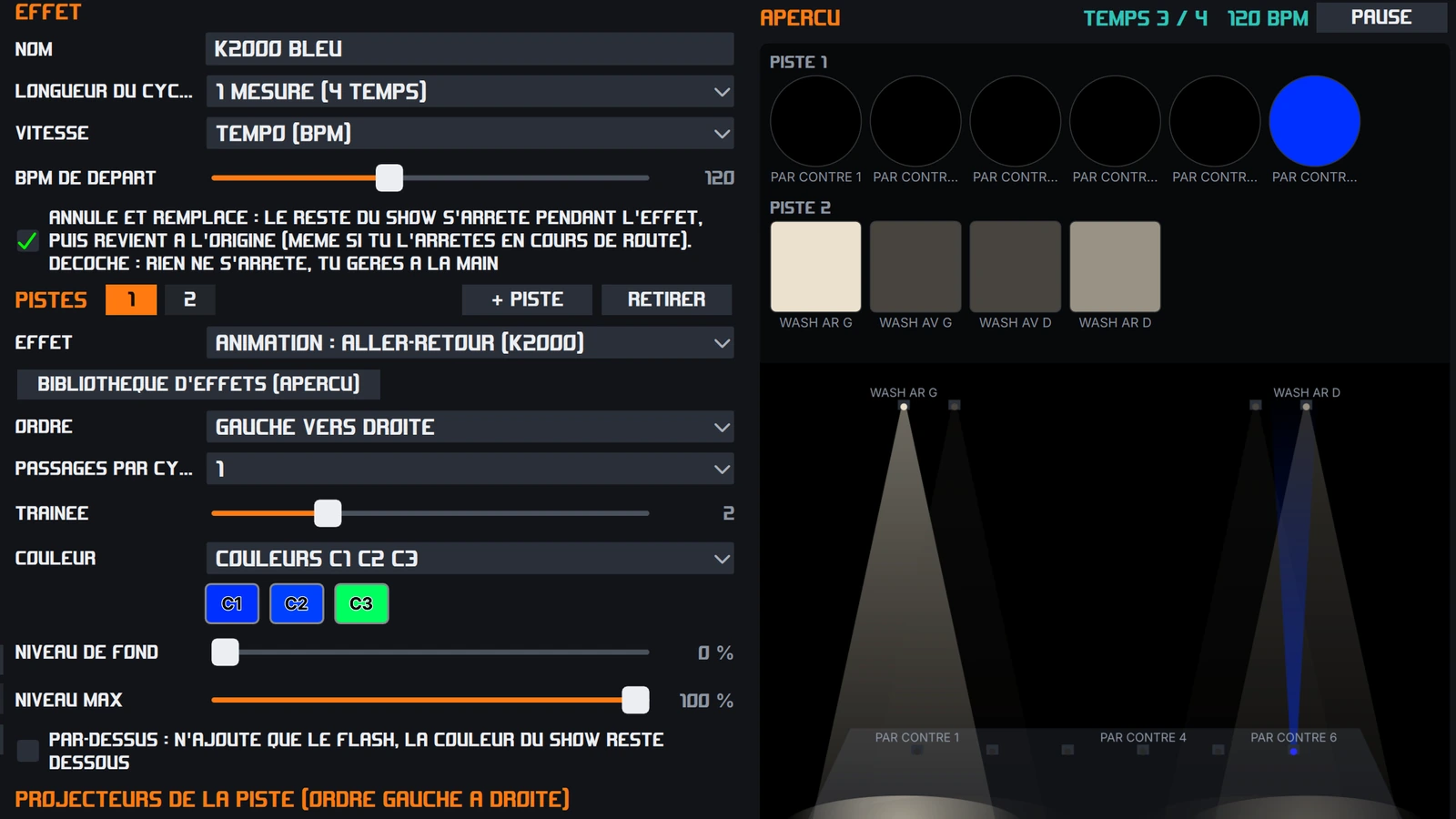
- Big FX: the whole rig in one effect, combos, and the “Replace existing” option that returns the show to its original state after the effect.
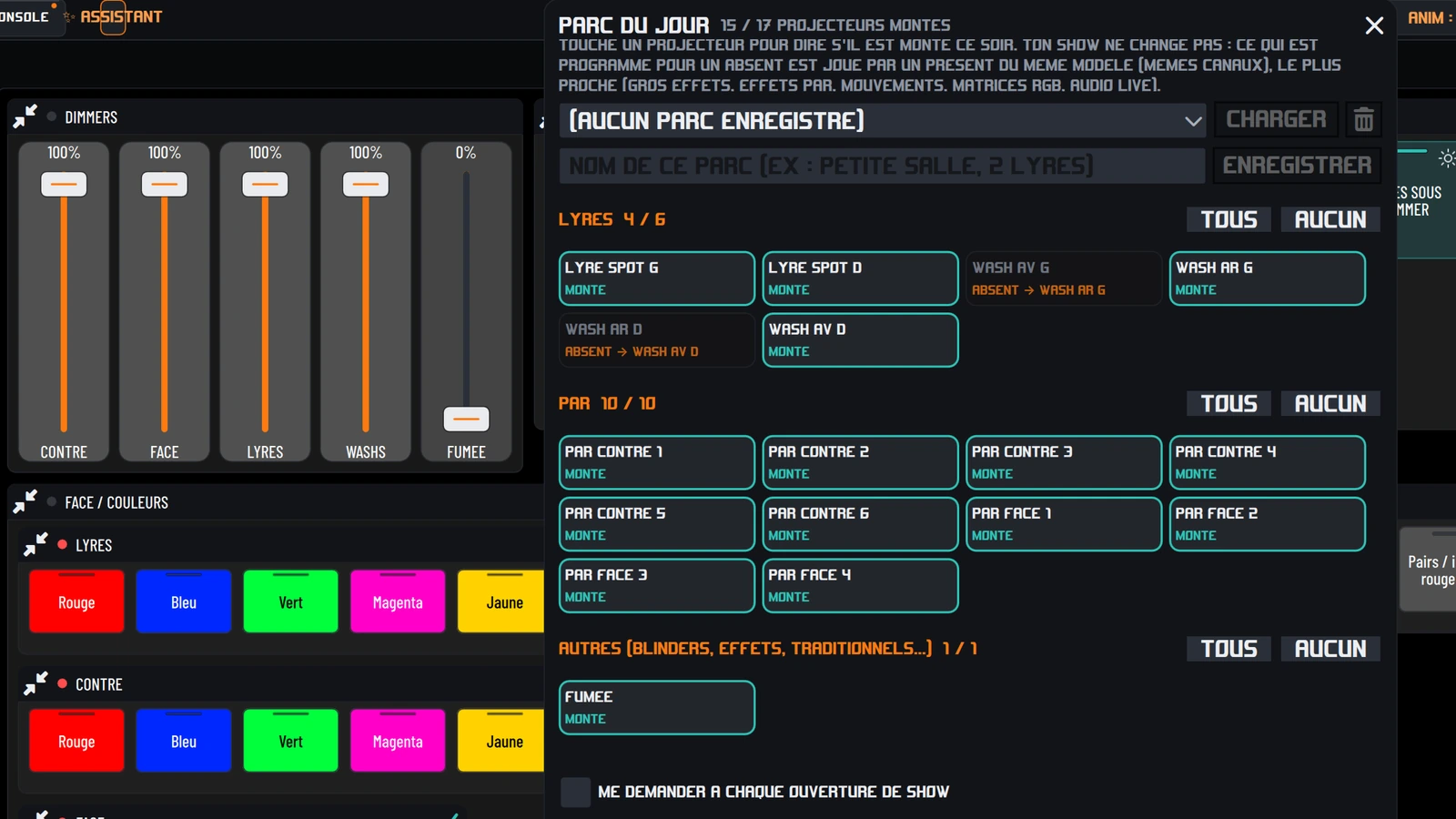
On the night, the Today's rig window lists your fixtures: tap the missing ones, the effects are recalculated. The software works offline, and after a power cut it reopens your show and restores the lighting as it was. With a fixed soundtrack, the Soundtrack Show tool writes the show from the music (Pro edition, coming soon).
The LWA Light licence, all included, costs 189 € incl. VAT (launch offer), lifetime licence. The trial lasts 30 days, every tool unlocked.
Try LWA Light for free
30 days, every tool unlocked, on Windows, Mac or Linux.
Frequently asked questions
Does someone need to be at the computer during the gig?
No. If the show is prepared, a MIDI footswitch, the phone remote or Audio Live are enough. The computer stays backstage or at the foot of the stage.
How many fixtures for a band starting out?
4 to 6 LED PARs as backlight, 2 PARs as front light and a fog machine. Moving heads come later, once the rest is in place.
Which footswitch to control the lighting by foot?
A footswitch that sends MIDI messages over USB. In LWA Light, each switch links to a console button in “learn” mode: touch the button, press the switch, it's linked.
Does the remote work without internet?
Yes. The phone talks directly to the computer on the same Wi-Fi, nothing goes through the internet. Avoid 4G/5G and “guest” Wi-Fi: bring a small router if needed.
What if a fixture is missing on the night?
Open Today's rig and tap the missing fixture: the effects are recalculated on what is set up, with nothing to reprogram.