
DJ lighting software: lock your lights to the music
For a DJ, the lights must follow the music without taking your attention. Here is how to pick the tempo source, prepare your effects and keep your hands on the decks.
What you need
DJ lighting software runs on the computer and sends the DMX signal to the fixtures. For a typical gig (wedding, birthday, village hall for 150 people), the gear fits in one flight case:
- A computer running Windows, Mac or Linux. It can be your mixing laptop, or a second laptop dedicated to lighting.
- A DMX-USB interface, ideally a « USB Pro » type with galvanic isolation (Enttec, DMXking…). A single 512-channel universe is plenty for a DJ.
- The fixtures: 4 to 8 LED PARs as backlight or on the floor, 2 to 4 moving heads on stands or on the truss, maybe a strobe and a smoke machine. An LED PAR uses 3 to 8 channels, a moving head 10 to 16: you stay under 150 channels.
- DMX cables daisy-chained from one fixture to the next, with a terminator on the last one.
- Optional: a small MIDI controller, or simply your phone as a remote.
Three ways to follow the tempo
For DJ lighting, it all comes down to tempo. A PAR wave at 128 BPM over a 95 BPM track is obvious right away. There are three possible sources.
- Tap tempo: you tap four times in time on a button and every effect locks in. Simple, works with any gear, but you have to tap again whenever the tempo changes.
- MIDI Clock: your DJ software (Traktor, for example) or a drum machine sends the tempo over MIDI, and the lights follow on their own. Enable MIDI Clock output in the source software and pick the right MIDI input on the lighting side.
- Pro DJ Link: with Pioneer DJ CDJ or XDJ players on a network, the tempo and downbeats arrive over the network cable. Nothing to set on the players.
With no link at all to the DJ gear, there is a fourth way: Audio Live. The software listens to a sound input (booth or rec output of the mixer, or a microphone) and detects the BPM itself.
Setting up the lights for a DJ set in 7 steps
- Address your fixtures: each unit gets a DMX address, with no overlap. Keep the plan in the flight case.
- Plug the DMX-USB interface into the computer, then the DMX line into the interface. Check that the output is selected in the software.
- Describe your rig in the software: which fixtures, where they are (back, front, floor), and in which DMX mode.
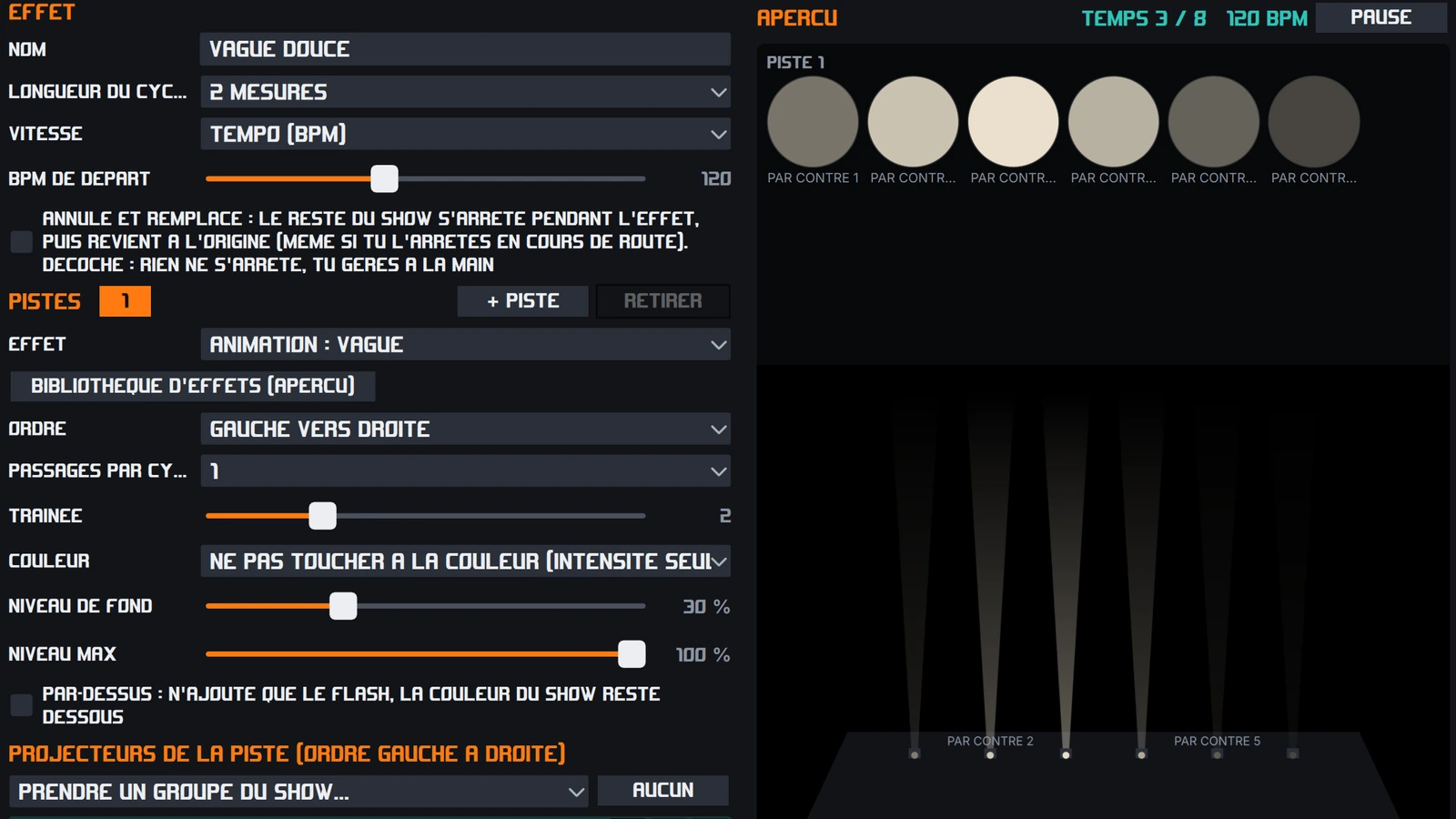
- Prepare four families of effects: soft ambience, groove for the verses, livelier effects for the choruses, a big effect for the drop.
- Choose the tempo source: tap tempo, MIDI Clock, Pro DJ Link or Audio Live. Test it with two tracks at very different tempos.
- Put the live controls under your fingers: a MIDI controller or the remote on your phone, with at least a stop-effects button, a white flash and a fade to black.
- Do a full test during setup, first with the room lit, then in the dark: colours and intensities do not look the same.
Which effects at which moment
A DJ does not need a hundred effects. A dozen well-chosen buttons cover a whole night.
- Welcome and dinner: a warm, static colour, intensity around 30 to 50 %. No moving-head movement while people eat.
- First dance at a wedding: warm white or a colour chosen by the couple, moving heads still on the couple. The rest of the room stays dark.
- Verses and laid-back tracks: a colour that changes every bar, a slow wave on the PARs.
- Choruses and peaks: chases, flashes on the beats, wider moving-head movements.
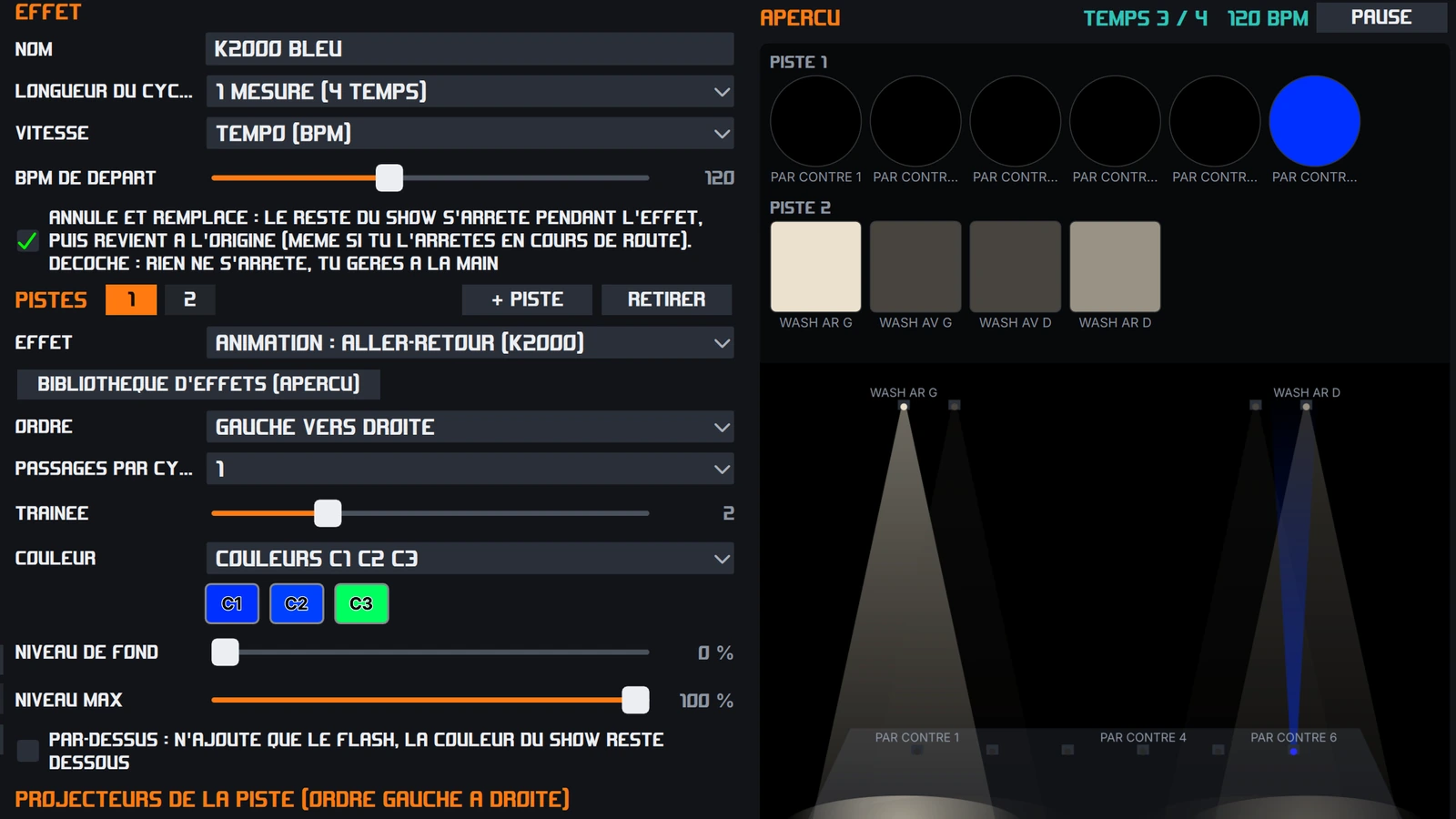
- Drop or finale: a big effect on a single button, strobe or blasting white, then back to the ambience.
For a dance band or an association running its own party in a village hall, the principle is the same: three or four looks are enough, the tempo does the rest.
Controlling from the booth
During the mix, your hands are on the decks. The lights must be driven in one move, without hunting for the mouse.
A MIDI controller plugged into the computer gives you real faders and real buttons. Pad controllers (Akai APC Mini, Novation Launchpad) are great for firing effects; a KORG nanoKONTROL2 gives you faders for intensities. See the list of supported controllers.
Otherwise, the free remote on a phone or tablet fires colours and effects from the DJ booth, without touching the computer. It just needs the same Wi-Fi.
Common mistakes
- A tempo that drifts: you switch style (from 125 to 95 BPM) and forget to tap the tempo again. With MIDI Clock, Pro DJ Link or Audio Live, this problem goes away.
- Too much strobe: after two minutes, the crowd gets tired. Keep it for a few seconds on the drop.
- Moving heads in people's eyes: on a dance floor, limit the movements so you never aim at face height or at the ceiling.
- Everything at 100 %: without contrast, nothing stands out. Keep some headroom for the choruses.
- The computer going to sleep mid-set: turn off sleep mode and the screen saver before the gig.
- No emergency exit: always have a button that stops every effect and goes back to a static colour.
With LWA Light
LWA Light Controleur is DMX lighting control software for Windows, Mac and Linux, built for live use. Here is what it actually does for a DJ.
- A single master tempo: PAR FX, Big FX, movements and moving-head lighting all follow it. Tap the TAP button 4 times; ×2 and ÷2 double or halve the tempo for a chorus or a quiet section.
- The SYNC setting chooses who sets the tempo: you (internal), MIDI Clock, MTC timecode or Pioneer Pro DJ Link. With Pro DJ Link, the software automatically follows the player that is on air, or a player from 1 to 4 of your choice.
- Audio Live listens to a sound input, finds the tempo and runs your effects following the song structure: louder chorus, blackout on the break then a hit of light. It can fire one of your Big FX when the sound comes back after a break. Moving-head movements stay within the XY pad limits.
- The Wizard builds the console in a few minutes from your rig, with tap tempo, colours, PAR FX, movements and a show-control frame (white flash, stop all effects, fade).
- Around forty MIDI controllers are recognised with no setup; the others work in « learn » mode. The phone remote is included.
The LWA Light licence (189 € incl. VAT as a launch offer, lifetime licence) includes all of this, and the rest of the software. See the details of the tools and the FAQ.
Frequently asked questions
Do I need a second computer for the lights?
No, it is not required. The lights can run on the mixing computer if the machine is recent enough. A second dedicated laptop is still more comfortable: a lighting issue never affects the music.
Can my DJ software send the tempo to the lights?
Yes, if it can send MIDI Clock: enable that output in its settings, then choose MIDI Clock as the sync source on the lighting side. With Pioneer DJ CDJ or XDJ players on a network, Pro DJ Link sends the tempo with nothing to set on the players.
Without MIDI or a network, can the lights follow the music?
Yes, with Audio Live: plug the booth or rec output of the mixer into a sound input on the computer. The software detects the BPM and runs the effects in tempo. Failing that, tap tempo always works.
How many fixtures for a wedding party?
For a room of 100 to 200 people, 4 to 8 LED PARs and 2 to 4 moving heads are enough for a lively dance floor. Add a little haze: moving-head beams are invisible without it.
Can I fire the lights from my phone?
Yes. With LWA Light, the remote opens on your phone or tablet, on the same Wi-Fi as the computer. It is free and needs no account.
Try LWA Light for free
30 days, every tool unlocked, on Windows, Mac or Linux.